The short answer is: sometimes, but not usually by default. LoRa and FPV are different radio technologies with different jobs. LoRa is built for long-range, low-power, low-data-rate telemetry. FPV is built for low-latency video and control. In many setups they sit in different frequency bands and coexist without drama. The trouble starts when band choice, physical spacing, output power, and receiver quality push them into each other’s space.
So when someone asks does LoRa interfere with FPV, the honest answer is that it depends less on the word “LoRa” and more on the RF environment around it.

Where the confusion comes from
A lot of confusion comes from treating “LoRa” and “FPV” as single frequency products. They are not. LoRa modules commonly operate in sub-GHz ISM bands such as 868 MHz or 915 MHz, depending on region. FPV systems most often use 2.4 GHz or 5.8 GHz, but long-range FPV setups can use 900 MHz, 1.2 GHz, or 1.3 GHz links. That means two systems can be “LoRa” and “FPV” and still land nowhere near each other—or land right on top of each other.
The second source of confusion is proximity. Even when frequencies are far apart, a very strong transmitter close to a sensitive receiver can overload the front end. That is not classical co-channel interference; it is receiver desensitization. In practice, it can look like reduced range, sluggish control response, or video breakup.
Three real interference paths
-
Same-band overlap
A 915 MHz LoRa link and a 900 MHz FPV control/video link can share spectrum. If they transmit near each other, interference is realistic. -
Receiver overload
A high-power FPV transmitter near a LoRa gateway or node can raise the noise floor and reduce LoRa sensitivity, even if the frequencies are not identical. -
Poor filtering and antenna placement
Cheap filters, wideband front ends, short antenna separation, and high gain antennas pointed at each other all make coexistence worse.
Interference risk at a glance
| Scenario | Typical frequencies | Interference risk | Main reason |
|---|---|---|---|
| LoRa telemetry vs 5.8 GHz FPV video | 868/915 MHz vs 5.8 GHz | Low | Large frequency separation |
| LoRa telemetry vs 2.4 GHz FPV control | 868/915 MHz vs 2.4 GHz | Low to medium | Usually separated, but close high-power TX can overload receivers |
| LoRa 915 MHz vs 900 MHz FPV link | 915 MHz vs 900 MHz | High | Same or adjacent band |
| LoRa gateway near FPV ground station | Mixed | Medium | Receiver desensitization and poor isolation |
| High-power FPV VTX near LoRa node | Mixed | Medium to high | Front-end overload, harmonics, and noise |
What matters more than the technology label
In the field, coexistence comes down to a few practical checks:
-
Band alignment: Are the systems actually in the same or adjacent band?
-
Power and distance: A 25 mW system at 50 m is a different problem from a 1 W system at 2 m.
-
Antenna isolation: Vertical separation, shielding, and directional patterns matter.
-
Filter quality: Good band-pass filtering reduces out-of-band overload.
-
Duty cycle: LoRa is not continuous high-throughput traffic, but repeated uplinks can still affect a sensitive nearby receiver.
-
Receiver quality: A well-filtered FPV receiver and a well-designed LoRa gateway tolerate more nearby RF than budget hardware.
Does LoRa “jam” FPV?
Not in the normal sense. LoRa is not designed as a jamming signal, and most LoRa traffic is low duty cycle. But “not designed to jam” does not mean “cannot interfere.” If a LoRa device is transmitting in the same band as an FPV link, or if it is physically close and strong enough to desensitize the FPV receiver, users can see real performance loss.
The same is true in reverse: an FPV transmitter can interfere with LoRa. Long-range FPV gear and high-power video transmitters are often the louder neighbor in the room.
A quick field test checklist
Before blaming LoRa, test systematically:
-
Power down the LoRa link and repeat the FPV range check.
-
Move the LoRa antenna at least a few meters away from the FPV ground station.
-
Change FPV channels or bands if possible.
-
Check for shared 900 MHz hardware first.
-
Add filtering only after confirming the interference path.
-
Log RSSI, packet loss, and video quality before and after each change.
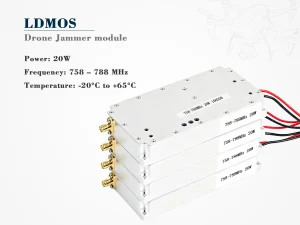
If you are evaluating hardware for authorized RF testing, the selection process matters as much as the test itself. A practical guide to band coverage, output power, filtering, control interface, and legal compliance is covered in ** How to Choose a LoRa FPV Jammer Module **. Use such equipment only where local regulations and permissions allow it; jamming is restricted or prohibited in many jurisdictions.
Bottom line
Does LoRa interfere with FPV? Usually not when the systems are in well-separated bands and installed with reasonable isolation. It becomes much more likely when a 900 MHz FPV link shares spectrum with 915 MHz LoRa, when high-power transmitters sit close together, or when receiver front ends are poorly filtered. Treat interference as an RF planning problem, not a technology rivalry. Check the band first, then distance, power, filtering, and antenna placement. That order will save far more time than swapping hardware at random.